
BY Silvio Sisa
WebMCP: An Interface for AI Agents
For decades, we have built websites for humans.
Buttons to click. Forms to complete. Menus to navigate. Visual feedback to understand.
Then AI agents arrived.
And we gave them the same interface.
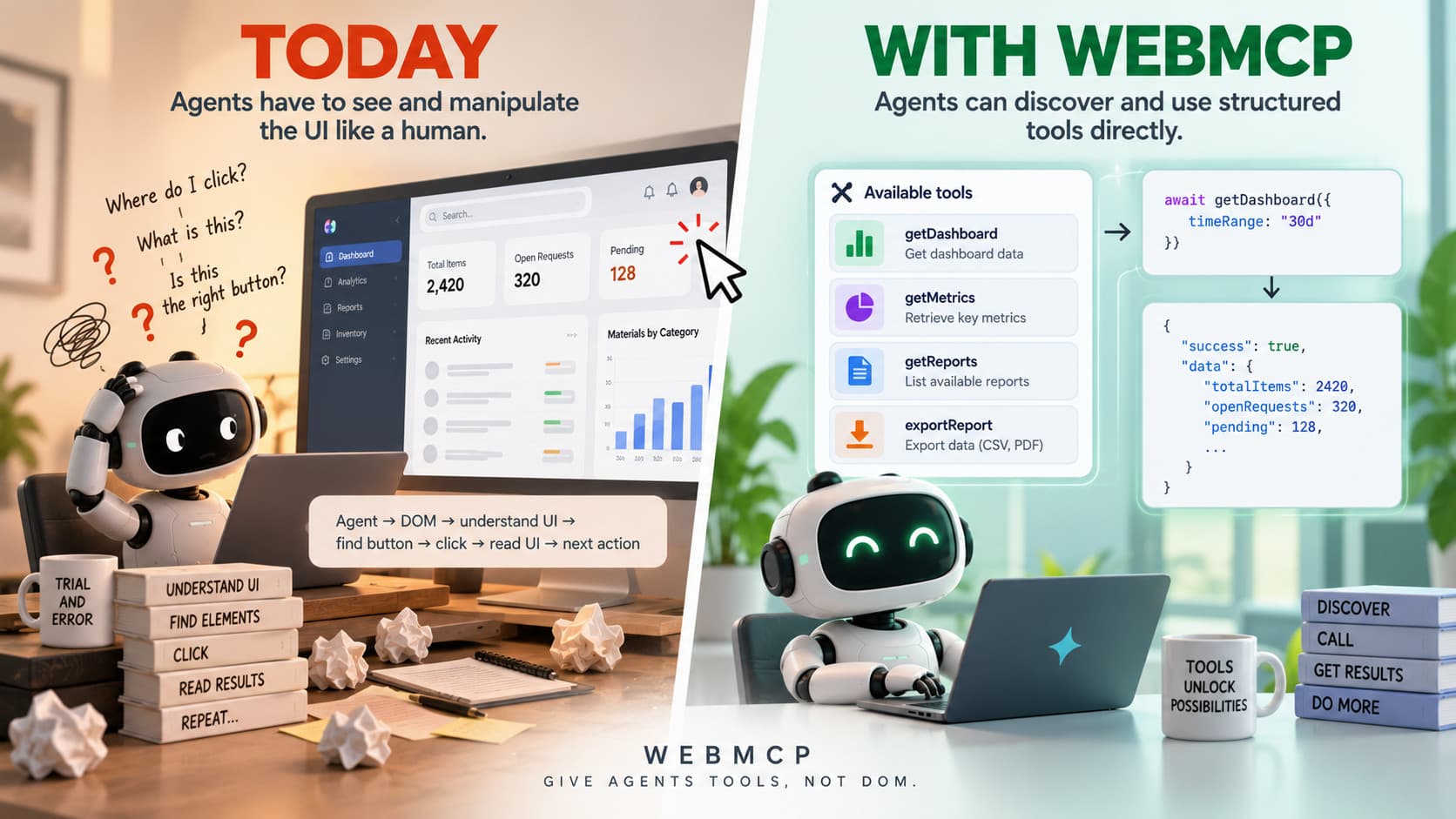
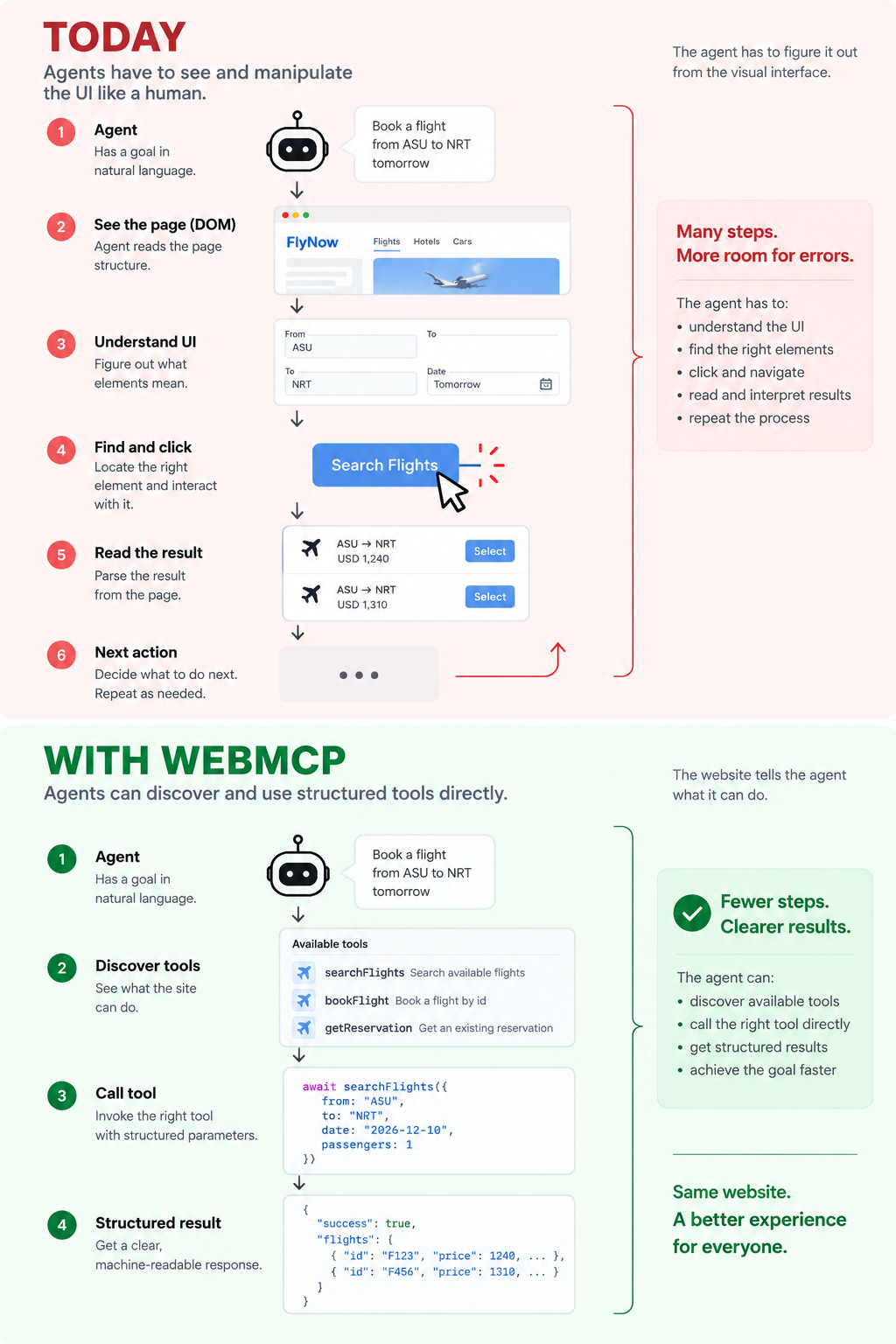
Today, a browser agent often has to understand a page, inspect the DOM, find the correct element, interact with it, read the result, and repeat.
WebMCP is not MCP
The name invites the confusion, so it is worth thirty seconds.
MCP — the Model Context Protocol — is how an agent reaches systems outside itself: databases, ticket trackers, internal APIs. You run a server, the agent talks to it over JSON-RPC, and it stays up whether or not anyone has a browser open.
WebMCP borrows the idea and almost nothing else. Chrome's own documentation calls it "MCP-inspired" rather than an implementation of MCP: there is no server and no wire protocol. It is JavaScript and HTML attributes inside your page, and the tools exist only while the tab is open.
| MCP | WebMCP | |
|---|---|---|
| Runs | on a server | in the page |
| Lives | persistent daemon | only while the tab is open |
| Spoken over | JSON-RPC | JavaScript / HTML attributes |
| Reaches | any platform, any time | your site, in that session |
The trade is the last row. An MCP server is reachable from anywhere and knows nothing about the person using it. A WebMCP tool works on one site only — and it is already inside that user's session, cookies and all.
Two ways to declare a tool
There are two APIs, and choosing between them is mostly a question of how much you already have.
Declarative. If the capability is already a form, you annotate it and you are done. The browser reads the fields and writes the schema for you.
<form toolname="createSupportRequest"
      tooldescription="Submit a request for support.">
  <input type="text" name="firstName">
  <button type="submit">Submit</button>
</form>
Imperative. When the tool is not a form — or you need control over what it does — you register it in JavaScript.
await document.modelContext.registerTool({
  name: "search_flights",
  description: "Search available flights between two airports",
  inputSchema: { /* JSON Schema */ },
  execute: async ({ origin, destination, date }) => { /* ... */ },
});
That second form buys you tools that appear and disappear with the state of the page, cancellation through AbortSignal, and framework hooks for React and Angular.
Most sites will start with the first one. It is two attributes on markup that already ships.
Where this pays off first
Dashboards.
A dashboard is already a set of functions wearing a UI: filter, change the range, group by something, drill in, export. Today an agent has to operate that UI — fight a date picker, find the right dropdown, read numbers back out of a rendered chart. With tools declared, "failed payments in Brazil last quarter, by week" is one call with four typed arguments, and what comes back is data instead of a screenshot.
The gain is not only ergonomic, it is arithmetic. Six inference steps become one. Every step removed is a page read that does not happen: latency drops, tokens drop, and so does the number of places where the agent can quietly misread something.
Internal tools are the place to start. There is no adoption problem when you own both the dashboard and the agent.
Chrome is already building for it
This is not a thought experiment.
Run Chrome 149 with the origin trial — or just flip chrome://flags/#enable-webmcp-testing locally — and open DevTools. There is a WebMCP section in the Application panel, sitting between Storage and Ads, marked NEW. It lists the tools the page has registered, and it shows tool calls in real time as an agent makes them.
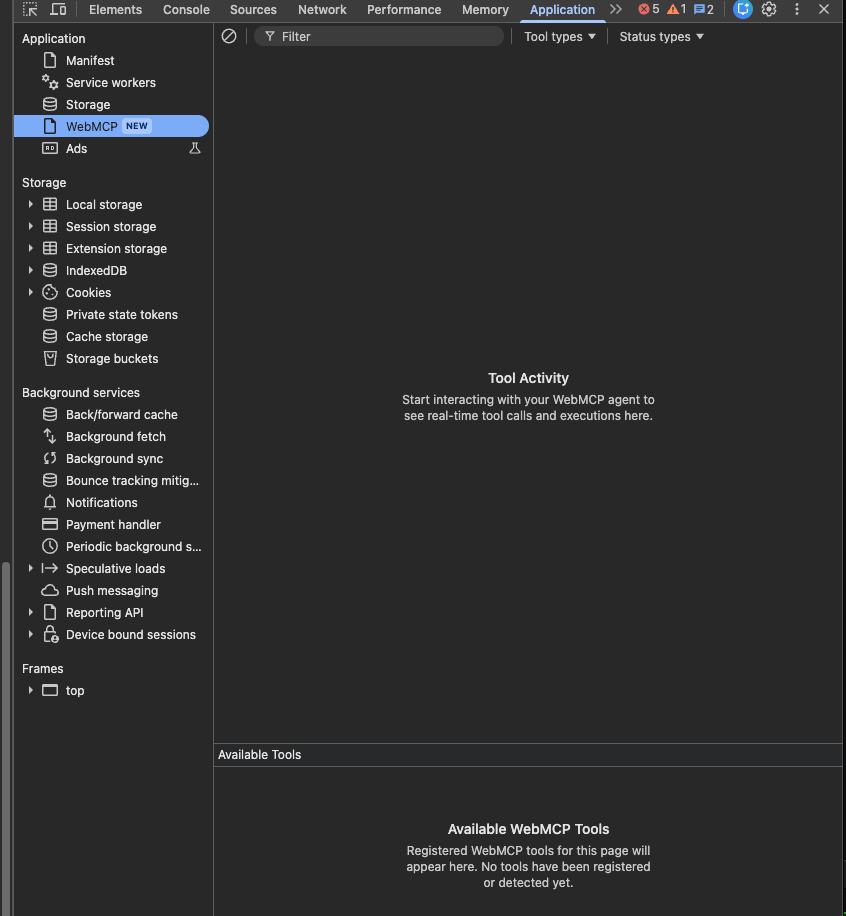
And on the site I pointed it at, like almost every site today, it said this: no tools have been registered or detected yet.
That empty panel is the whole situation in one screenshot. The browser is ready. The websites are not.
We're still early
WebMCP is currently an experimental open standard and remains under active development.
Chrome is experimenting with the API, the specification continues to evolve, and the exact developer experience may change.
That makes it dangerous to assume today's API is the final shape of WebMCP.
But I think the more important idea is independent of the exact API.
We are moving from:
agents trying to understand websites
toward:
websites explicitly describing what agents can do.
That's a significant shift.
This changes frontend design
For frontend developers, this introduces a new question.
Previously we asked what components this page needs. Now we also ask what capabilities this application should expose to an agent.
That second list is much shorter than the first, and most teams have never written it down.
Where to read more
- Build your user's agentic workflows with WebMCP tools — Chrome's guide to designing tools that agents can actually use.
- WebMCP specification — the draft from the W3C Web Machine Learning Community Group, where
document.modelContext.registerTool()is defined.